MacBook Air 64G capacity is too small is flawed
My MacBook Air (11-inch, Mid 2012) hard disk 64GB, the actual usable capacity is less than 60G, plus the OS file, the available capacity is really very small, initially for home use, and later became a working machine. After starting to store work data, and occasionally backing up mobile phone photos, they immediately faced a small space and some files were not well deleted. Therefore, a few years ago, they purchased a 1T-capacity mobile hard disk compatible with MAC (used slightly After that).
Even if there is a mobile hard disk, but because it will not bring a mobile hard disk every day, so usually the available space of the notebook hard disk has been very little, long time maintained within 2GB, each time is no way to back up to the mobile hard disk. It is very important to develop clear document classifications and regularly back up data. Don't wait until the computer is broken or poisoned to lament the importance of backup.
Apple Customer Service
Forgot to start when my macbook air appears to be automatically restarted. Everything is working when it is used, but if it is still or sleep, it will silently restart. It is when I re-wake the notebook. A popup window tells me it has restarted. This problem is not too small nor too bothersome, because the restart program will shut down the software one by one, and all software will be restarted after it is shut down. If there is an unsaved file (usually word or excel), it will jump out of the dialog box to save the file rather than forced to close, so it is not a real damage to me, there is no active Solution (also because of over-protection).
One day was free, so Apple's official website to check maintenance information, because the warranty period has passed, but also feel that computer problems are difficult to describe online, so I chose to call customer service.
First consultation:
After describing the problem, the customer service staff wanted to test whether it was a software problem or a hardware problem, so it gave me a series of mysterious instructions. It was to quickly press some keys at the same time after the restart, and then I had to look at the response. Said that this step is full of excitement, because sometimes at the same time press 3 to 5 keys, test the memory (I remember not good copy on paper) and finger sensitivity ah.
Customer service said that if you do not improve after these tests, it may be a hardware problem and you must go to the store to repair. In fact, after these mysterious gestures, the problem of automatic restart still exists, but it is very troublesome to think of sending repairs, so it will be over.
Second consultation:
After a while, another problem arose. There is obviously about 1G of storage space, but the computer frequently jumps out of warnings that the system does not have enough capacity. At that time, the files were not backed up and archived for a period of time. The hard disk is sometimes under 1G storage capacity.
I doubted that I called Apple's customer service again. After stating this problem, I also said that I had been restarting the system. The customer service staff first asked me about the system version and found out that I was a super old version (10.7.3, bought I haven't updated it later.) Later, I suggest that I update to the latest version (10.12.3) to eliminate system software problems. And told that if you want to download the update smoothly and run normally, you should have more than 10G of hard disk space. Therefore, I used the mobile hard disk backup to delete files that were not urgently used. At this time, I re-confirmed the importance of organizing files and sorting data.
After the system was updated, the restart problem still remained unsolved. At this point, it should have been clearly a hardware issue (laughing in tears).
Has become a stranger since then?
One day after the system was updated, I found it was possible to view the files when I backed up my files using a removable disk, but I could not write or modify the files on my mobile hard disk. The Toshiba Slim I bought was compatible with the MAC. When I plugged in the computer, I installed the plug-in for the Mac and presented the cloud disk (but now the cloud disk has been canceled). I called Apple's customer service and asked Tmall's store customer service. Both said that we should change the mobile hard disk format to EXFAT. The following is a screenshot of Tmall Customer Service:

In other words, the mobile hard disk has to be formatted, and I suddenly hesitated.
Because Apple's official and Tmall shop customer service response made me change the format, so I did not expect to be able to install a plug-in or something to solve, but also thought that because of Apple's new OS version made any changes, so slim originally included The plugin is useless. To change the mobile hard disk format, of course, you have to back up the contents of the inside out, plus the old capacity also used 5-6 into, so 趁618 also bought a new v8 mobile hard disk, of course, is still selected compatible MAC's.
Interlude: After buying a new disk, it was a clever surprise. I called Toshiba’s customer service. The other person asked me which product I was using. After I told slim, the other person told me that installing a software program would allow us to read it smoothly. got it. This software is pre-stored in the hard disk, but it may be my old age, so the pre-stored software license expired, so reinstall it is useless. Later, customer service passed me a download link, which was successfully read after installation. (At this time, I regret why I asked Toshiba customer service soon.....)
The above is the reason to buy two mobile hard drives, now enter the topic, to compare the two disks on hand:
The First Mobile Hard Drive: Toshiba Slim Slim Series
Color: black, silver
Capacity: 500G, 1TB
Pre-stored software: cloud storage, encryption software
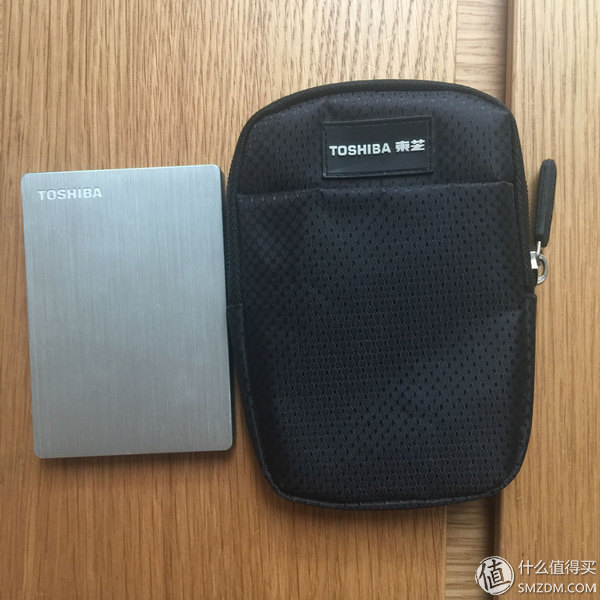
Slim and the gift packet, which is not a shock absorber sponge. The right size, the transmission line, U disk and other small things into ok.
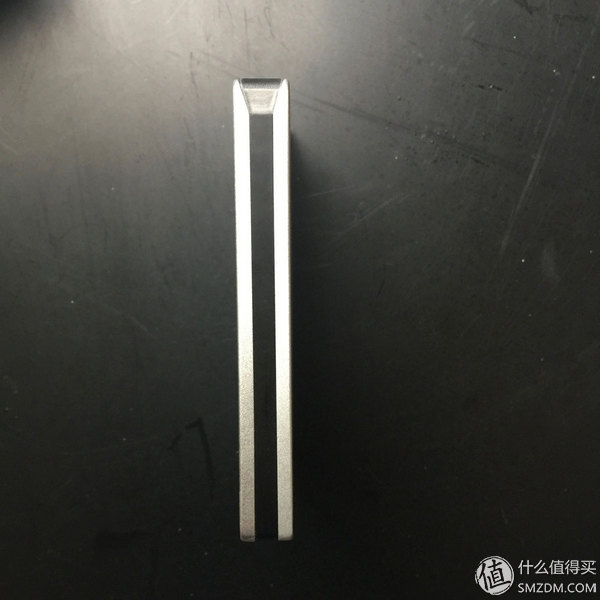
There is a black line on the side and the lamp position is on the top.
Slim was bought in 2015. In the same 1T product, the price is a bit more expensive than other models, and the appearance is thinner. What I saw was slender slim, metal casing and brushed lines look good texture, but also scratch-resistant. When I bought it, I sent a packet (should not be standard). The encryption software provided with the hard disk is only available for the win system, and cloud storage is now closed. The general price is about 420-430 or so, and if you have discount coupons, you can save 10-20 again.
Reviews:
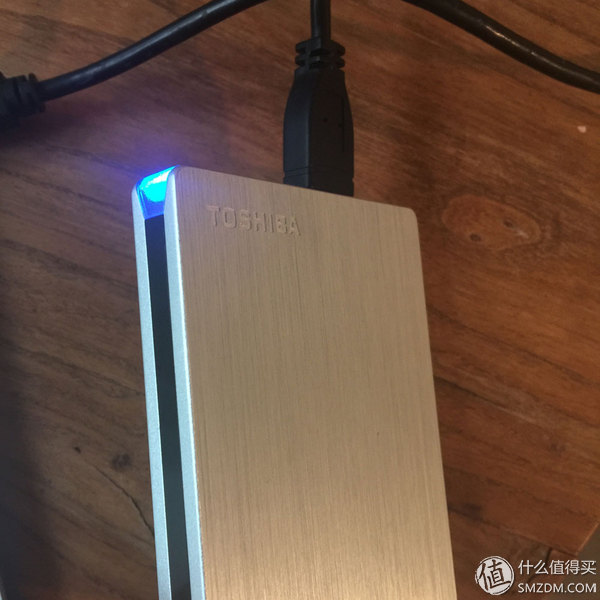
When using the side of the indicator will flash blue light, a slight sense of vibration when reading the file, the speed is full, there is no long-term feeling of hot, overall more satisfied, but unfortunately lost the original transmission line, and now with the right and wrong The original transmission line, received the notebook is easy to loose, met the end of the usb will easily receive the computer's abnormal exit warning.
Second Mobile Hard Drive: Toshiba V8 Sharing Series (Vibrant Red)
Color: Red, Black, Blue, White, Gold
Capacity: 500G, 1TB, 2TB, 3TB
Pre-stored software: One-click backup, cloud storage
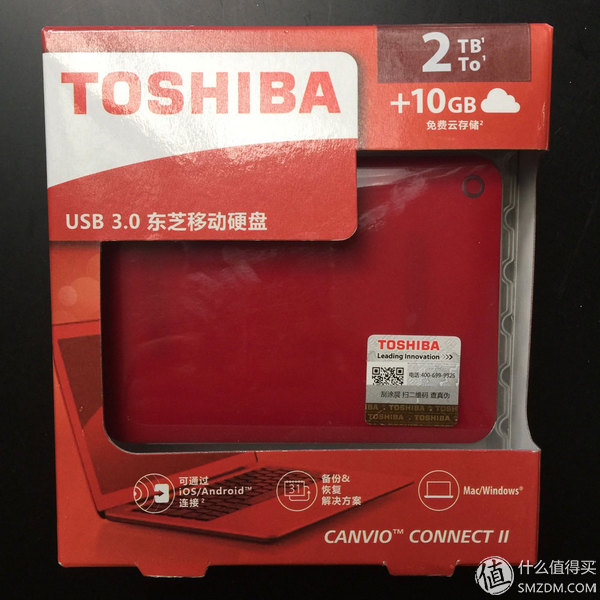
The front of the box, this original free space of 10GB of cloud space, but now that cloud disk service is gone.
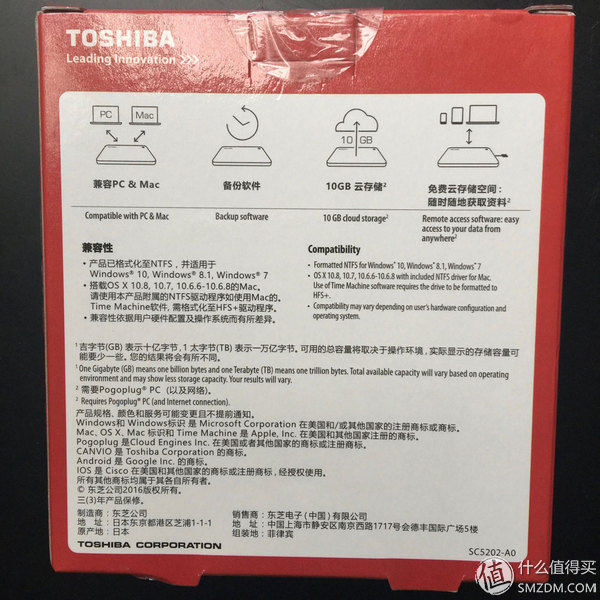
Packaged software is listed behind the box. The backup software is only available for the win system.
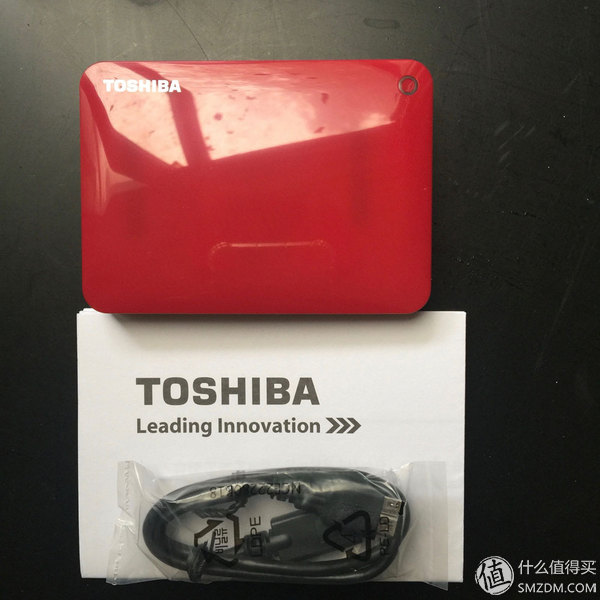
The content is very simple, hard disk*1, transmission line*1, manual one. These are all things in the original packaging.
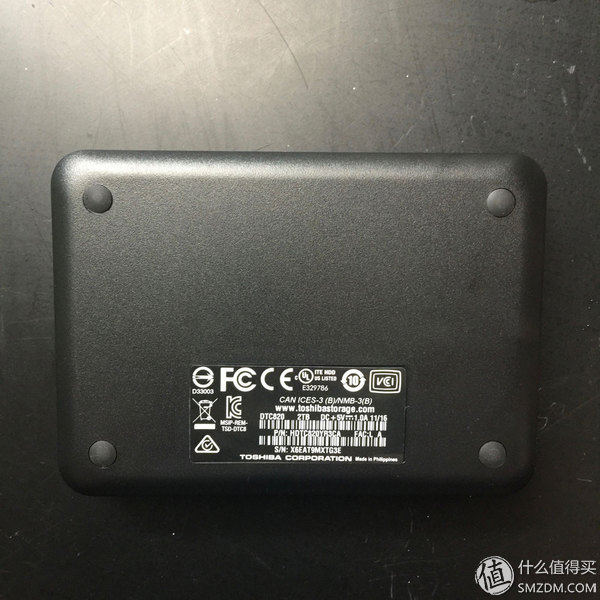
The 2TB disc is obviously thicker. This is a plastic case with a red mirror finish on the front and a black matte finish on the back. This red is not red, I feel a bit berry red. The general price is about 600-610 or so, and if you have a discount coupon, you can save 10-20 again.
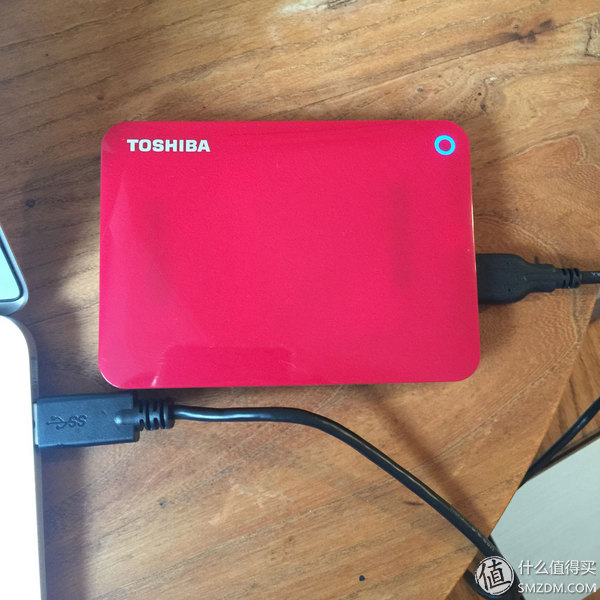
The indicator light is also blue, see the small circle in the upper right corner.
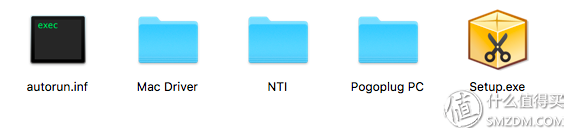
This is the new V8 built-in software. Among them, Mac Driver is an important software that can be compatible with Mac. The Pogoplug PC is a 10GB cloud disk space that is not accessible. Slim is also built-in. It was previously installed and registered, but it was never used before. Then it received a Pogoplug email saying that the service was over. NTI and setup.exe these two I am not sure what is the win system can be installed, it is estimated that there is a backup software.
Two comparisons
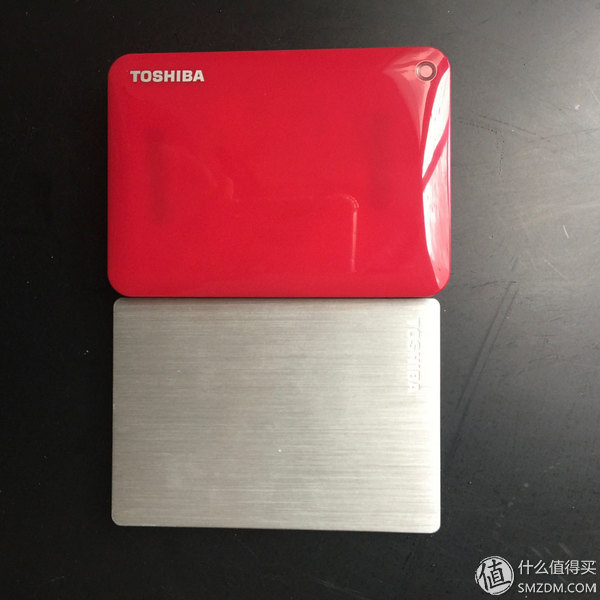
According to the front view, according to the TOSHIBA logo, v8 should be placed horizontally, and slim should be erected. V8 is a plastic shell, slim metal wire drawing.
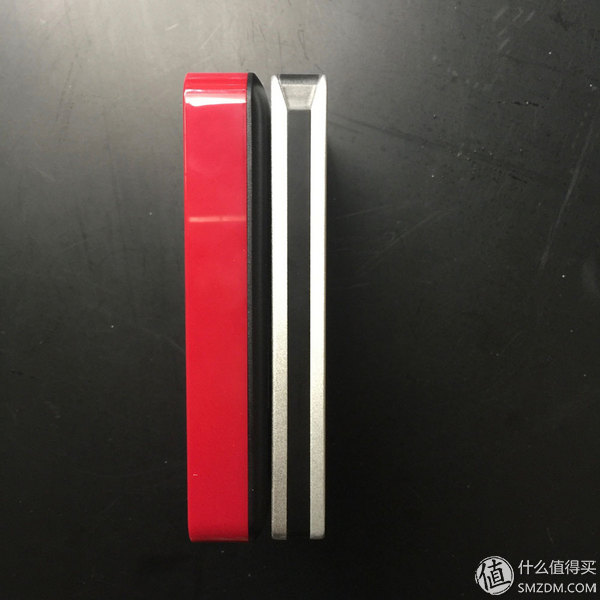
Side photo, really black was thin, v8 back is black, not clear on the black table, in fact, thicker than the slim
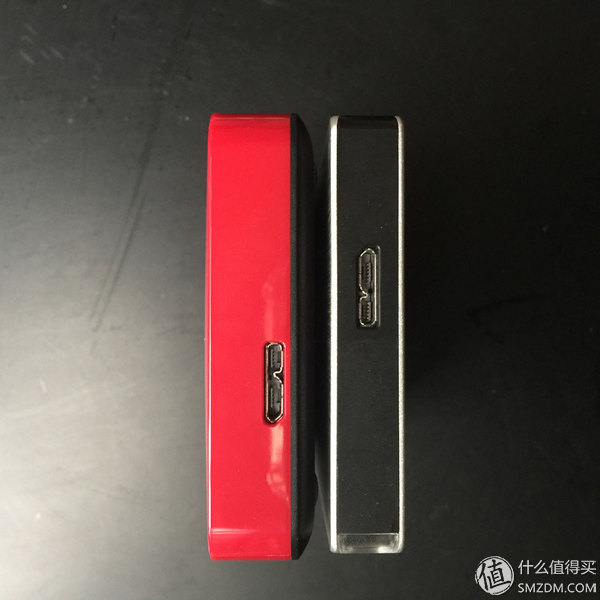
Port photos, slim socket position in the middle, V8 left. This figure can be seen clearly at the bottom of the v8.
In summary, V8 is obviously thicker than slim, and the appearance texture is also very different. However, the maximum capacity of slim is only 1TB, and the large capacity is still looking for V8. The maximum is 3TB. (But it may be a bit thicker.)
Speed test
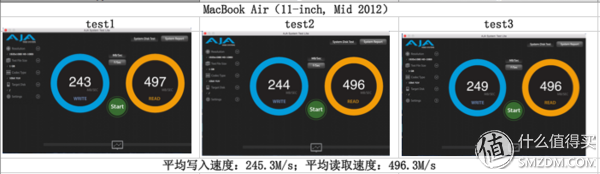
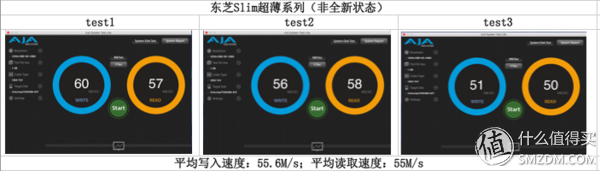
Speed measurement software used: AJA System Test Lite
V8 is a brand new unused state; slim has been used for 2 years and only about 50% capacity is left. The test results are for reference only.
Under the same speed conditions, take the average of three times the speed
Test 1. MacBook Air System Hard Disk (Solid State Drive)
Test 2. Slim
Test 3. V8
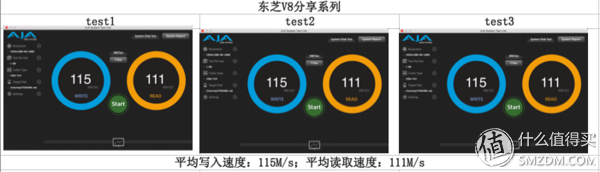
to sum up:
Toshiba slim is more satisfied, so when buying a second mobile hard drive or choose Toshiba, the hard drive capacity can not be small, this time to buy 2TB, the more abundant the capacity will be mixed, the more you save, messy in the file consolidation It is very difficult. It is recommended that you name and classify each time you save files, which will reduce a lot of unnecessary time wasted.
In addition, the more data stored in the hard disk, it may slow down. The same is true for mobile hard disks, so to maintain a good user experience, it is best to regularly organize files. Delete unimportant or duplicate files.
Finally, the product and customer contact information that appeared in the text:
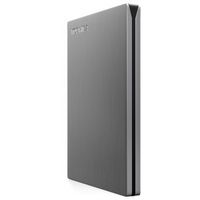
Toshiba (TOSHIBA) Canvio slim ultra-thin series 2.5-inch mobile hard disk (USB3.0) 1TB (silver) 439 yuan Jingdong to buy
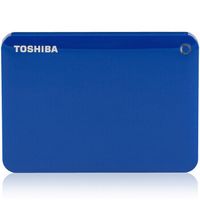
Toshiba (TOSHIBA) V8 CANVIO high-end sharing series 2.5-inch mobile hard disk (USB3.0) 2TB (mysterious blue) 599 yuan Jingdong to buy
Apple customer service phone (China), official website: https://
Toshiba storage product customer service phone
If it is other product problems (such as notebooks, printers, electrical appliances, etc.), please contact Toshiba Electronic official website for the corresponding customer service phone number: http://
Data cable
Dongguan Guancheng Precision Plastic Manufacturing Co., Ltd. , https://www.d-powershop.com
برچسب:
،
ادامه مطلب
بازدید: